🎧 Related Podcast Episode
Executive Summary
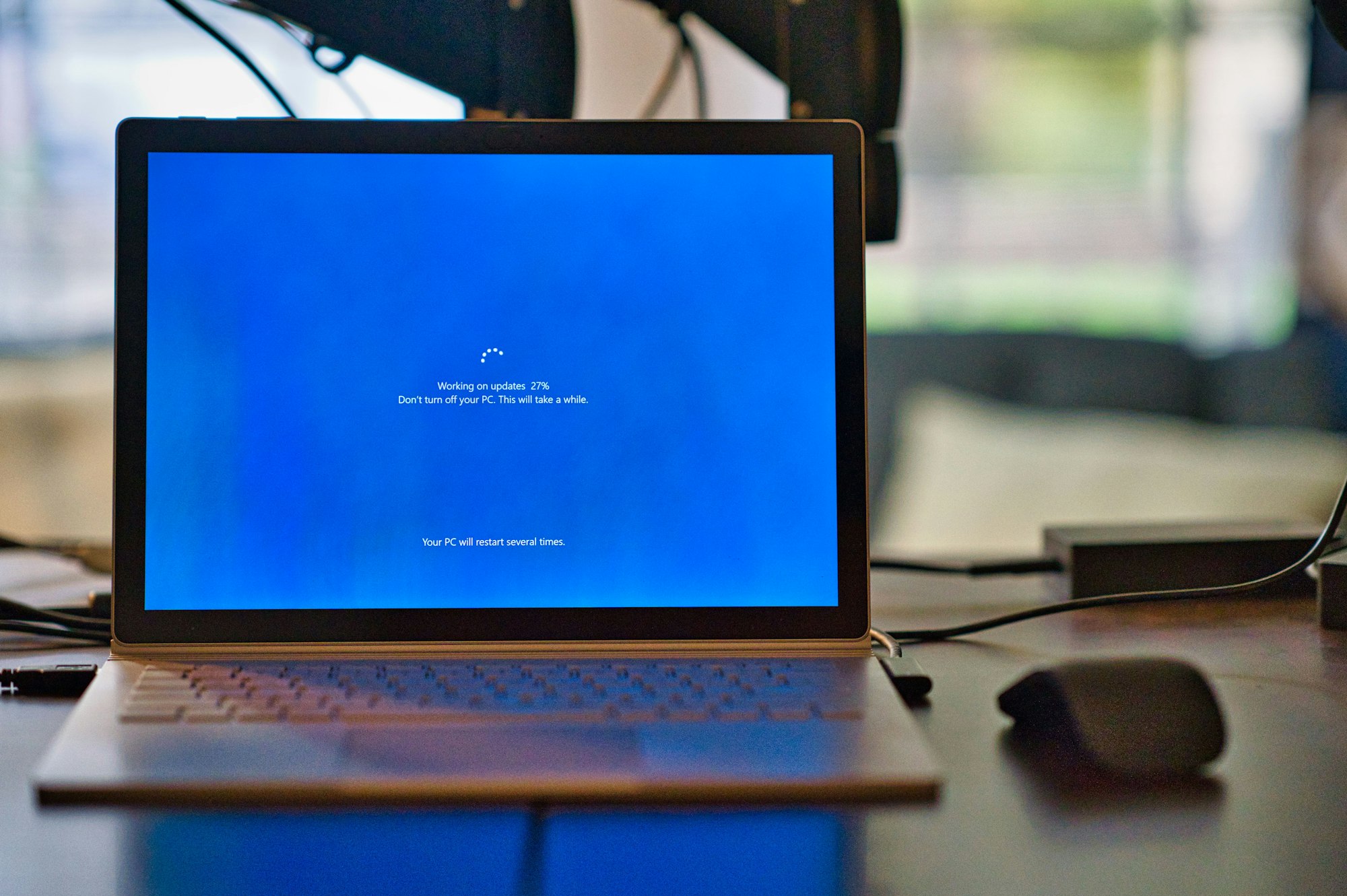
The countdown is nearly over. In just 6 days—on October 14, 2025—Microsoft will officially end support for Windows 10, marking the conclusion of a decade-long journey for one of the world’s most widely deployed operating systems. This isn’t just another software lifecycle milestone—it represents a critical security turning point that will leave hundreds of millions of devices vulnerable to cyberattacks if organizations and individuals don’t take immediate action.
After this date, Windows 10 systems will continue to function, but they will no longer receive security patches, bug fixes, or technical support from Microsoft. This creates an expanding window of vulnerability that cybercriminals are already preparing to exploit.
We are now in the final week. If you’re reading this on October 8, 2025, you have less than one week to either upgrade to Windows 11, enroll in the Extended Security Updates program, or accept the substantial security risks of running an unsupported operating system. The clock is ticking. [
The Compliance Minefield: How End-of-Life Systems Put Organizations at Legal and Financial Risk
A Comprehensive Guide for Compliance Officers, CISOs, and Risk Management Professionals Executive Summary Running end-of-life (EOL) operating systems and software isn’t just a security issue—it’s a compliance crisis waiting to happen. With Windows 10 reaching end-of-life on October 14, 2025, and organizations across industries still running unsupported systems, the

Compliance Hub WikiCompliance Hub
Understanding the October 2025 Deadline
What End-of-Life Actually Means
When Windows 10 reaches end-of-life (EOL), Microsoft will cease providing:
- Security updates for newly discovered vulnerabilities
- Feature updates and improvements
- Technical support from Microsoft customer service
- Driver and firmware updates for newer hardware
- Compatibility testing for new software applications
Windows 10 version 22H2 is the final version of Windows 10, and all editions will remain in support with monthly security updates only until October 14, 2025. According to endoflife.date, Windows 10 22H2’s security support ends in just 6 days, with Extended Security Updates available until October 10, 2028 for those who enroll in the ESU program.
A Decade of Windows 10
Windows 10 launched in July 2015 and quickly became the enterprise standard, powering workstations, servers, and critical infrastructure across virtually every industry. For nearly a decade, Windows 10 has served as the workhorse operating system for households and businesses worldwide. Its intuitive interface, robust security features, and comprehensive productivity tools made it indispensable for organizations globally.
However, all software eventually reaches its end-of-life, and Microsoft has been clear about this deadline for years—giving users ample time to plan their migration.
Tracking the Windows Lifecycle
For organizations managing multiple Windows versions, endoflife.date/windows provides a comprehensive, community-maintained tracker showing the support status of all Windows releases. This invaluable resource clearly shows that Windows 10 22H2—the final version—reaches end of security support on October 14, 2025, with only LTSC (Long-Term Servicing Channel) editions receiving extended support beyond this date.
⚠️ CRITICAL TIMELINE ALERT
Today: October 8, 2025
Windows 10 EOL: October 14, 2025
Time Remaining: 6 DAYS
As of today, you have less than one week to:
- Upgrade to Windows 11 (if hardware compatible)
- Enroll in Extended Security Updates program ($30 for consumers)
- Replace hardware that cannot run Windows 11
- Prepare emergency security measures for systems that will remain on Windows 10
Starting October 15, 2025, every Windows 10 system without ESU enrollment becomes a security liability. Track the exact countdown at endoflife.date/windows.
The Growing Security Threat Landscape
Vulnerability Statistics Paint a Concerning Picture
The security landscape for Windows 10 is becoming increasingly precarious. In 2025 alone, there have been 381 vulnerabilities reported in Windows 10 with an average severity score of 7.2 out of ten. These include critical flaws affecting core Windows components such as:
- Windows Common Log File System (CLFS) Driver
- Windows NTLM authentication
- Windows Kernel-Mode Drivers
- Windows TCP/IP stack
- Windows SmartScreen protection
Microsoft’s August 2025 Patch Tuesday addressed 107 vulnerabilities, including one publicly disclosed zero-day and 13 critical vulnerabilities. The volume and severity of these threats demonstrate that Windows systems remain under constant attack from sophisticated threat actors.
Active Exploitation Is Already Happening
Cybercriminals don’t wait for EOL dates to begin their campaigns. The U.S. Cybersecurity and Infrastructure Security Agency (CISA) recently warned about active exploitation of a Windows privilege escalation vulnerability (CVE-2021-43226) affecting the Common Log File System Driver. This vulnerability allows local attackers to gain SYSTEM-level access, enabling complete control over affected systems.
Security researchers have identified proof-of-concept exploit code circulating in underground forums, increasing the likelihood of active exploitation campaigns. Once Windows 10 reaches EOL, such vulnerabilities will never be patched, creating permanent security gaps that attackers can exploit indefinitely.
The Zero-Day Threat After EOL
One of the most alarming aspects of running unsupported software is the zero-day problem. Even previously unknown zero-day vulnerabilities may be weaponized more aggressively once attackers are confident no fixes will ever arrive. This creates a steadily widening security gap over time, especially in environments where outdated systems remain connected to the internet or internal networks.
Recent research shows that almost 30% of Known Exploited Vulnerabilities were weaponized within 24 hours of disclosure, and for high-profile edge devices, the median time to exploitation was zero days—meaning attackers were already exploiting vulnerabilities before patches were available.
Real-World Ransomware Threats Targeting Windows Systems
The Ransomware Epidemic Continues to Escalate
Ransomware remains one of the most significant cybersecurity threats in 2025, and Windows systems—particularly those running outdated versions—are prime targets. Cybercriminals closely monitor EOL milestones because they know unpatched systems become prime targets for exploitation.
Active Ransomware Campaigns in 2025
Several major ransomware families are actively targeting Windows environments:
Interlock Ransomware: First observed in late September 2024, Interlock targets various businesses, critical infrastructure, and organizations in North America and Europe. The FBI is aware of Interlock encryptors designed for both Windows and Linux operating systems.
Medusa Ransomware: Microsoft has confirmed that the ransomware affiliate Storm-1175 has been exploiting a maximum severity GoAnywhere vulnerability in Medusa ransomware attacks, actively compromising organizations since at least September 2025.
LockBit, RansomHub, and Qilin: These remain among the top ransomware operations targeting Windows systems. Qilin alone is capable of targeting multiple platforms including Windows, Linux, and ESXi, with enhanced encryption using AES-256-CTR for faster deployment.
Why EOL Systems Are Targeted
The WannaCry ransomware attack in 2017 serves as a stark reminder of the risks associated with EOL software. Exploiting the EternalBlue vulnerability, threat actors targeted Windows XP machines after Microsoft ended support for the operating system, with no way to remediate the ongoing issue.
Once Windows 10 reaches EOL, a similar scenario becomes not just possible, but probable. Ransomware operators actively scan the internet for vulnerable systems, and unsupported Windows 10 installations will become low-hanging fruit for these criminal enterprises.
Beyond Security: The Hidden Costs of Staying on Windows 10
Compliance and Regulatory Risks
EOL operating systems can fail compliance audits for standards like PCI DSS, HIPAA, and ISO 27001, leading to legal and financial repercussions. Many regulatory frameworks explicitly require that systems processing sensitive data run supported, actively patched operating systems. You can verify the support status of any Windows version at endoflife.date/windows to ensure compliance documentation is accurate.
Organizations in regulated industries—healthcare, finance, government, and education—face particular challenges. Using EOL software increases the chances of data breaches and ransomware attacks, as the Cybersecurity and Infrastructure Security Agency (CISA) has warned.
Performance Degradation and Compatibility Issues
Beyond security risks, system performance will degrade over time on unpatched Windows 10 systems. New software and hardware increasingly require Windows 11, meaning that:
- Modern applications may refuse to install or function properly
- New hardware devices may lack compatible drivers
- Cloud services and enterprise tools may drop Windows 10 support
- Productivity features and optimizations will be unavailable
End-of-life operating systems often struggle to run modern software and hardware, resulting in compatibility issues, reduced performance, and lower productivity.
Increased Maintenance Costs
The operating costs required to maintain and fix bugs on an OS that’s post-EOL can be quite high. Organizations should estimate the business impact, in dollars, of an outage caused by the EOL OS. These costs include:
- Additional IT staff time troubleshooting compatibility issues
- Business disruption from system failures
- Potential breach response and recovery costs
- Emergency hardware replacement expenses
- Lost productivity during incidents
Microsoft’s Support Programs and Migration Options
The Extended Security Updates (ESU) Program
For organizations and individuals who need additional time to complete their migration, Microsoft is offering an unprecedented solution. For the first time ever, Microsoft is introducing an Extended Security Updates program for personal use. The ESU program for consumers is a one-year option available for $30, providing critical and important security updates until October 13, 2026.
⚠️ IMPORTANT: ESU enrollment should be completed BEFORE October 14, 2025. While enrollment may technically be available after EOL, securing your system before the support cutoff is the safest approach. Don’t wait until October 15 when you’re already running an unprotected system.
Consumer ESU Options: Through an enrollment wizard available in Settings, personal users can choose from three options: sync settings to the cloud at no additional cost, redeem 1,000 Microsoft Rewards points at no additional cost, or pay $30 USD.
Enterprise ESU: For commercial organizations, ESU licenses are available through volume licensing for up to three years after Windows 10 end of support, though customers must purchase coverage cumulatively if joining later.
Important Considerations:
- To be eligible to install ESU updates, devices must be running Windows 10 version 22H2
- ESU provides only security updates—new features, bug fixes, and technical support will not be available
- The program is a bridge solution, not a permanent alternative to upgrading
Free Windows 11 Upgrades
Upgrades to Windows 11 from Windows 10 are free. If your PC meets the minimum system requirements for Windows 11 and is eligible to upgrade, you can upgrade directly through Windows Update.
Checking Eligibility: To manually check if a device is eligible for Windows 11, download the PC Health Check app from Microsoft. The tool will analyze your system and indicate whether it meets Windows 11’s requirements, which include:
- TPM 2.0 (Trusted Platform Module)
- UEFI firmware with Secure Boot capability
- Compatible 64-bit processor
- 4GB RAM minimum (8GB recommended)
- 64GB storage minimum
Migration Tools and Resources
Microsoft provides comprehensive support for the transition:
Windows Backup: Reduce downtime and ensure that personal files, settings, and applications are securely moved from Windows 10 to Windows 11 exactly as saved with Windows Backup.
OneDrive Integration: Microsoft recommends saving copies of files or backing them up to OneDrive, a secure cloud storage service that helps users safely make the move to Windows 11.
Trade-In Programs: If you have an eligible device, you can take advantage of the Microsoft trade-in program to securely and responsibly recycle your PC and get extra cash.
Windows 11: Enhanced Security by Design
Next-Generation Security Features
Microsoft designed Windows 11 to be the most secure version of Windows ever—by default and design—to help stay ahead of evolving security threats. Key security enhancements include:
Hardware-Based Protection: Advanced security features include hardware-based protection through TPM 2.0, enhanced authentication methods, and virtualization-based security fully enabled by default.
Phishing Protection: Windows 11 includes phishing protection offering robust defense mechanisms and an extra layer of security against common and persistent cyberattacks, including attempts to compromise login credentials or install malware.
Microsoft Pluton: Designed by Microsoft and silicon partners, Pluton is embedded in the PC’s processor, enhancing Windows 11 and all Copilot+ PCs with protection for user identity, data, and apps.
Modern Computing Experience
Beyond security, Windows 11 offers:
- Improved performance and efficiency
- Enhanced productivity features
- Better support for modern hardware
- Seamless integration with cloud services
- Regular feature updates and improvements
Action Plan: What You Must Do in the Next 6 Days
For Home Users
- Assess Your Hardware (Do This Today):
- Download and run PC Health Check immediately
- Determine if your PC supports Windows 11
- If incompatible, make hardware purchase decision now
- Back Up Your Data (Do This Today):
- Use OneDrive or external backup solutions
- Document important files and settings
- Create a full system image if possible
- Upgrade or Replace (Complete by October 13):
- If eligible: Upgrade to Windows 11 through Windows Update NOW
- If not eligible: Enroll in ESU program before October 14 ($30)
- Order new hardware immediately if replacement needed
- Don’t Wait:
- Windows 10 in-product notifications about EOL are appearing now
- You have less than one week to complete this transition
- After October 14, your system becomes a security liability
For Business and IT Professionals
CRITICAL: If you’re reading this and haven’t started your migration, you are now in crisis mode. The deadline is October 14, 2025—just 6 days away.
- Emergency Assessment (Today - October 8):
- Immediately audit all Windows 10 devices across the organization
- Identify which systems CANNOT be upgraded before October 14
- Prepare emergency purchase orders for ESU licenses
- Test application compatibility with Windows 11 on sample devices
- Rapid Response Plan (October 9-10):
- Prioritize critical systems for immediate Windows 11 upgrade
- Purchase and deploy ESU for systems that cannot be migrated in time
- Implement network segmentation for systems that will remain on Windows 10
- Brief executive leadership on security exposure starting October 15
- Emergency Security Controls (October 11-13):
- Isolate Windows 10 systems that cannot be upgraded or ESU-enrolled
- Enable enhanced monitoring and EDR for all legacy systems
- Implement application allow lists on unsupported systems
- Prepare incident response procedures for likely compromises
- Post-EOL Management (Starting October 14):
- Daily security monitoring for all Windows 10 systems
- Expedited migration schedule for ESU-enrolled systems
- Regular vulnerability assessments
- Executive reporting on organizational risk posture
The Risks of Inaction
What Happens If You Don’t Upgrade?
The consequences of running Windows 10 after October 14, 2025 are severe and multifaceted:
Security Vulnerabilities: Without Microsoft’s monthly security updates, Windows 10 devices will be increasingly exposed to malware, ransomware, and remote code execution attacks that take advantage of flaws discovered after October 2025.
System Compromise: EOL software remains vulnerable to exploits that attackers can easily find online. Operating system vulnerabilities can lead to system compromise, malware infections, and unauthorized data access.
Crypto Mining Attacks: An emerging threat involves crypto mining software deployed through illicit methods. An unpatched EOL operating system can mean that company resources are diverted to crypto mining, leading to higher expenses and problems with reliability and availability.
Weakened Security Posture: Unsupported systems weaken an organization’s overall security posture. EOL operating systems can become weak links in a layered defense strategy—attackers often compromise outdated endpoints first and then pivot to more secure systems.
Conclusion: The Final Week Is Here
This is not a drill. This is not a recommendation. This is a warning.
With just 6 days remaining until Windows 10 reaches end-of-life, we are now in the final countdown. The security implications are clear and documented: in the first half of 2025 alone, more than 23,600 vulnerabilities were published, with attackers moving faster than ever. Almost 30% of Known Exploited Vulnerabilities were weaponized within 24 hours of disclosure.
If you are reading this on October 8, 2025, you need to make a decision TODAY:
- Upgrade to Windows 11 (if your hardware supports it) - Start the process immediately
- Enroll in ESU (if you need more time) - The enrollment window won’t stay open forever
- Replace your hardware (if your PC can’t run Windows 11) - Order now; lead times matter
- Accept the risk (not recommended) - Understand you’re making your system a target
The question isn’t whether to upgrade, but whether you’ll complete the transition before October 14 or scramble in crisis mode afterward. Organizations and individuals who delay face:
- Exponentially increasing security risks starting October 15
- Compliance violations and potential fines
- Business disruption from inevitable security incidents
- Higher long-term costs from emergency responses
Microsoft has provided unprecedented support for this transition, including free upgrades, affordable extended security options, and comprehensive migration tools. The company has given years of advance notice and continues to offer assistance through multiple channels.
But that time is now measured in days, not months or weeks.
Don’t let October 14, 2025 catch you unprepared. The cybercriminals are already preparing for that date, knowing that hundreds of millions of systems will become vulnerable targets. Ensure your organization isn’t one of them.
Act today. Not tomorrow. Today.
Additional Resources
- Windows Lifecycle Tracker: endoflife.date/windows - Community-maintained tracker for all Windows versions
- Windows 10 End of Support Information: support.microsoft.com/windows/windows-10-support-ends
- PC Health Check Tool: Download from Microsoft’s official website
- Windows 11 Upgrade FAQ: support.microsoft.com/windows/upgrade-to-windows-11-faq
- Extended Security Updates Program: learn.microsoft.com/windows/whats-new/extended-security-updates
- CISA Known Exploited Vulnerabilities Catalog: cisa.gov/known-exploited-vulnerabilities-catalog
- Microsoft Security Response Center: msrc.microsoft.com
This article was researched and written on October 8, 2025—just 6 days before Windows 10 reaches end-of-life on October 14, 2025. All statistics, vulnerability information, and Microsoft program details are current as of the publication date. If you’re reading this, time is extremely limited. Track the latest Windows lifecycle information at endoflife.date/windows.